
Apple Watch
Find out where something is, or take one off the count, without getting your phone out.
Getting it
The Watch app comes with the iPhone app. If it isn't on your Watch yet, open the Watch app on your iPhone, find BIN Inventory under Available Apps, and tap Install.
Signing in
There's nothing to type: the Watch signs in through your iPhone. Make sure you're signed in to BIN Inventory on the iPhone, keep it nearby, and open the app on the Watch. If it says Sign in through your iPhone, open the app on the iPhone and tap Try Again on the Watch. Signing out on the iPhone signs the Watch out too.
What you can do
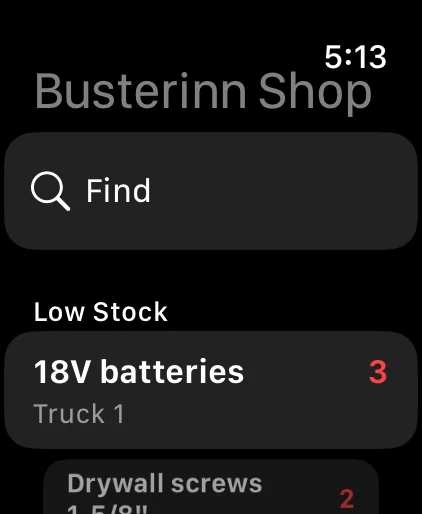
- See what needs attention: the first screen lists what's expired and what's low.
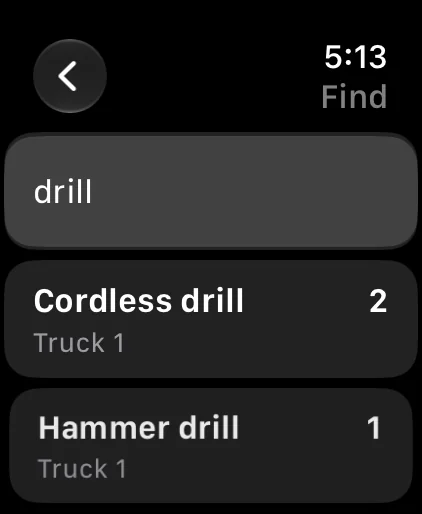
- Find something: tap Find, dictate or scribble the name, and see where it is.
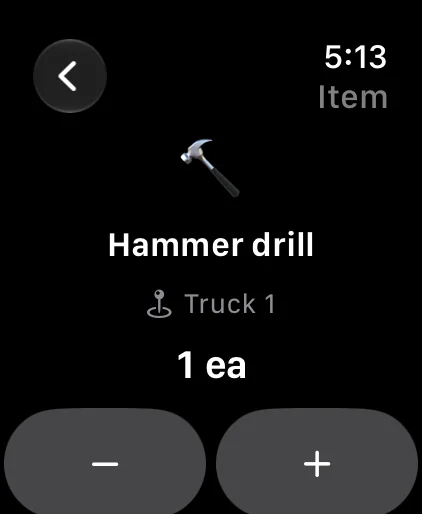
- Change a count: open an item and tap − or +. Each tap is recorded like any other stock change, with "Apple Watch" as the reason.
- Notifications: low-stock and expiration alerts show up on the Watch too, with Restock…, Remind Me Tomorrow and Mark Read.