
Alerts and notifications
Buster lets you know when something runs low or is about to go bad.
The Alerts tab
The Alerts tab lists what needs attention right now:
- Expired: items past their expiration date (if your household tracks expiration).
- Low Stock: items at or below their reorder threshold.
The red number on the tab is how many there are. Tap one to open it. Nothing there? You'll see All Clear.
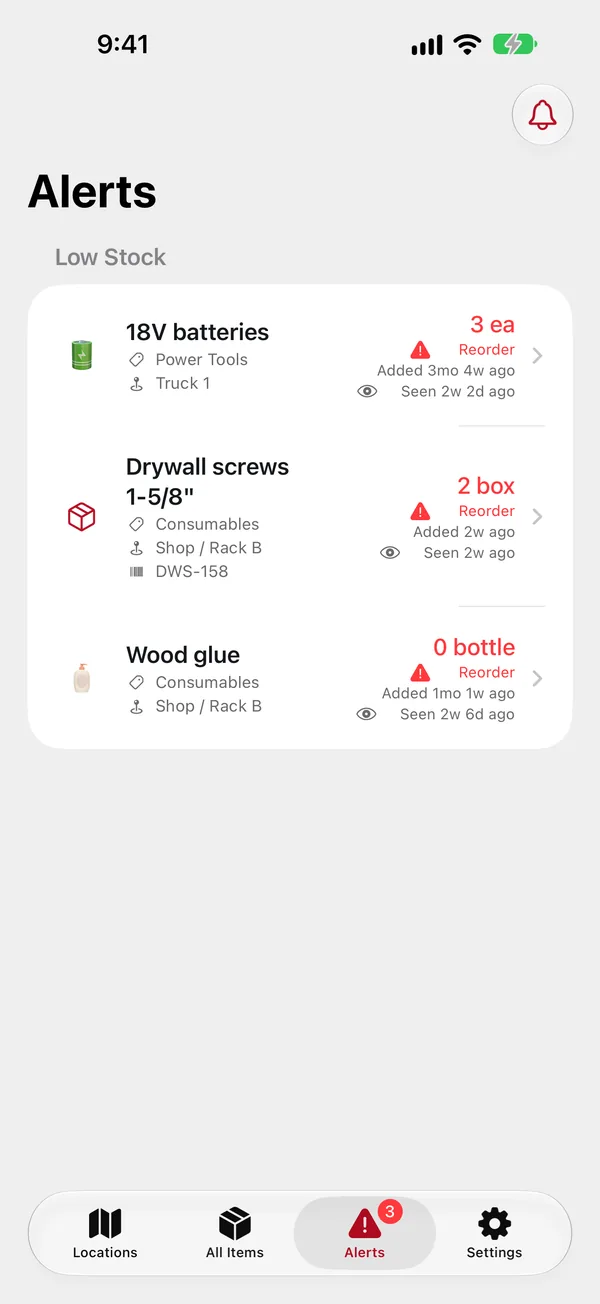
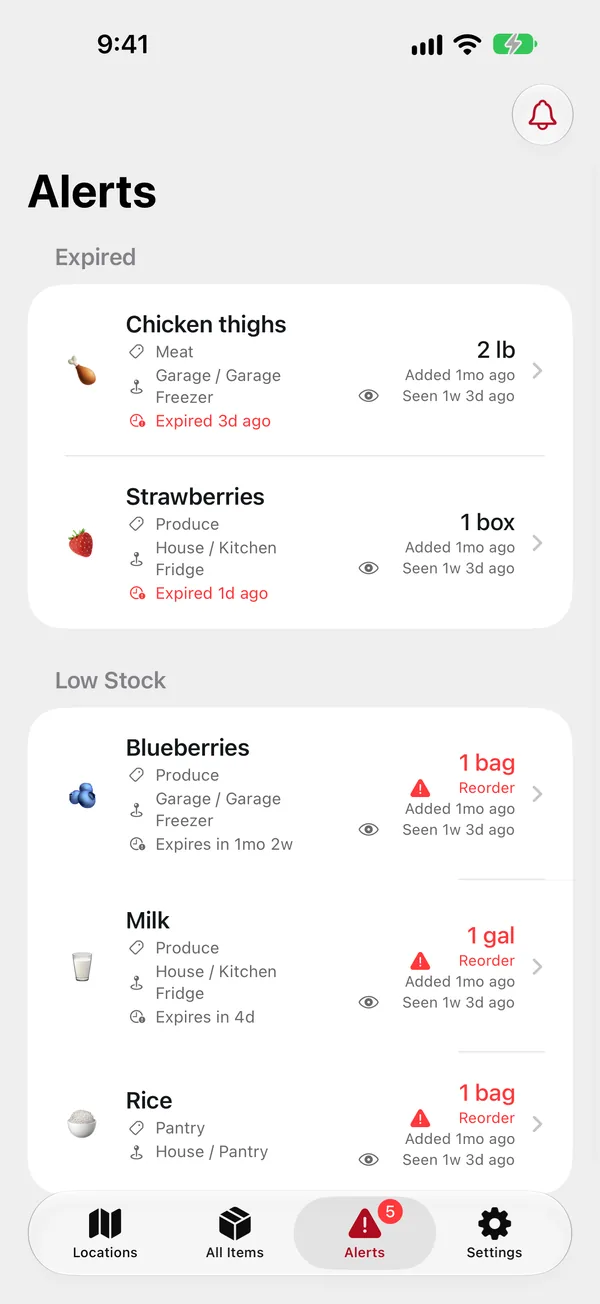
To get an item onto the Low Stock list, give it a reorder threshold when you add or edit it. For example, with a threshold of 2 it shows up when only 2 are left.
Notifications
BIN Inventory sends a notification to your iPhone (and your Apple Watch) when:
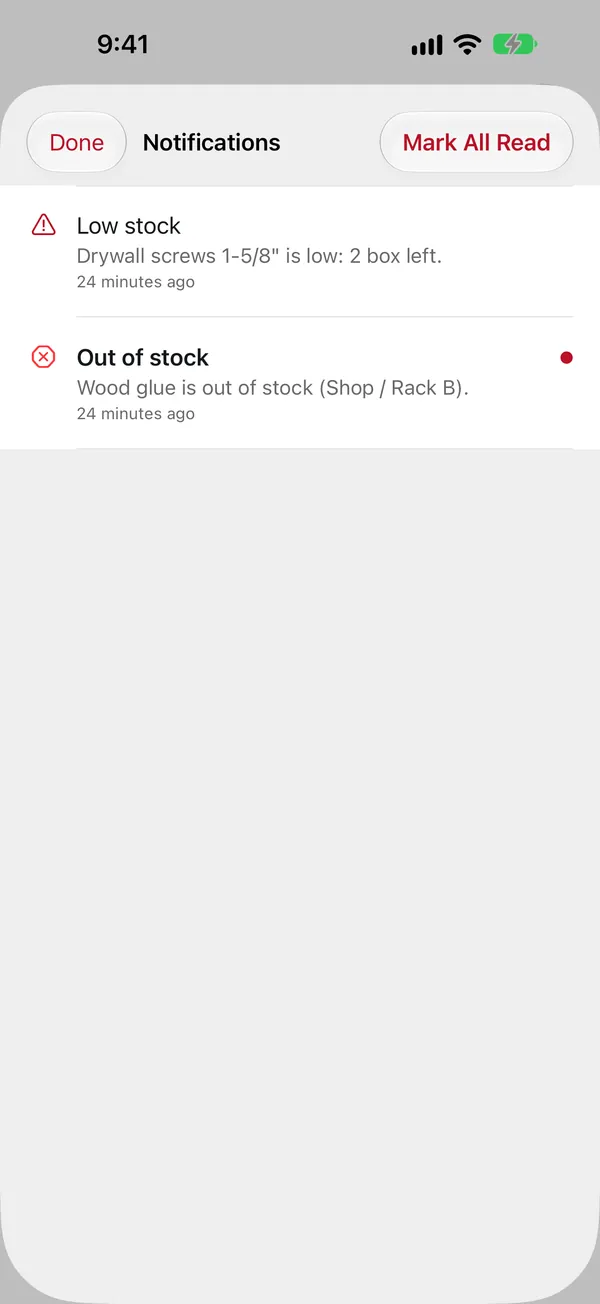
- an item drops to its reorder threshold (low stock) or runs out (out of stock), each once until it's restocked; you aren't notified about changes you made yourself;
- food is expired or expiring within the next few days, once a day at the household's reminder time.
Press and hold a notification on the iPhone (on the Watch, scroll down) for buttons:
- Restock… opens the item with Adjust Quantity ready to go.
- Remind Me Tomorrow brings the same notification back in 24 hours.
- Mark Read.
The inbox
Every notification is also kept in the app. Tap the bell at the top of the Alerts tab; unread ones are in bold. Tap one to open the item, or Mark All Read.
Choosing what you get
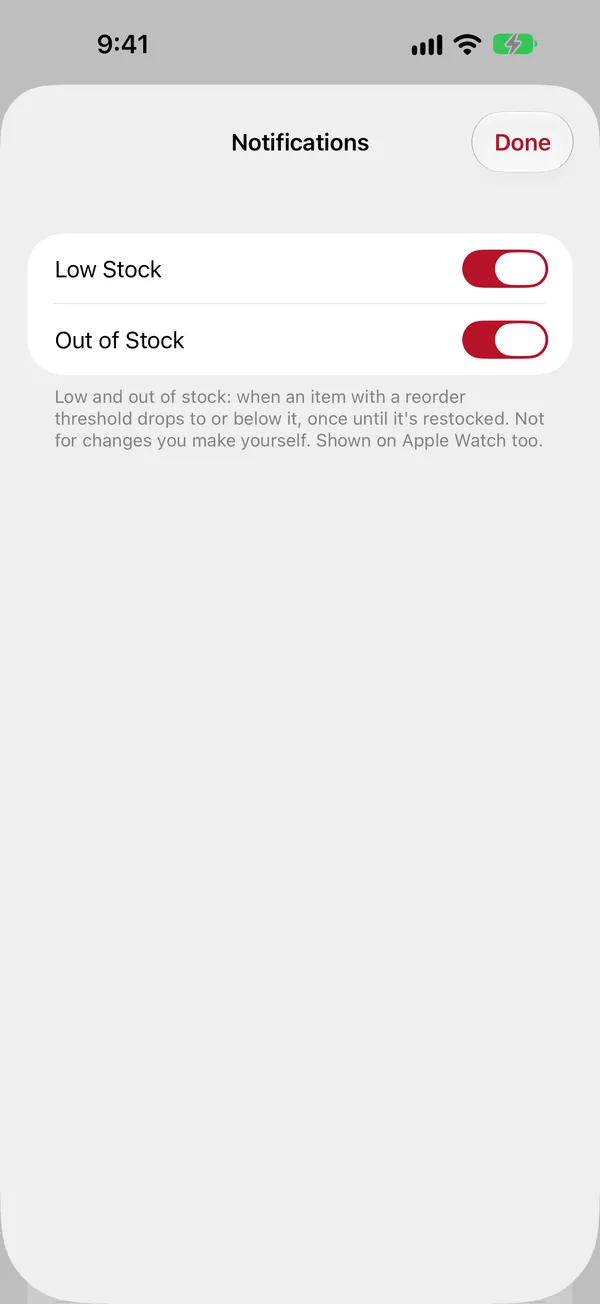
Settings › Notifications: turn Low Stock, Out of Stock and Expiration Reminders on or off. This is per person: your choices don't affect anyone else. If notifications are off for the app in iOS, a button takes you to the iPhone's Settings to turn them on; until then they still collect in the inbox.
Admins also set the household's Reminder Time (10:00 by default) and Time Zone for the daily expiration reminders.