
Adding items
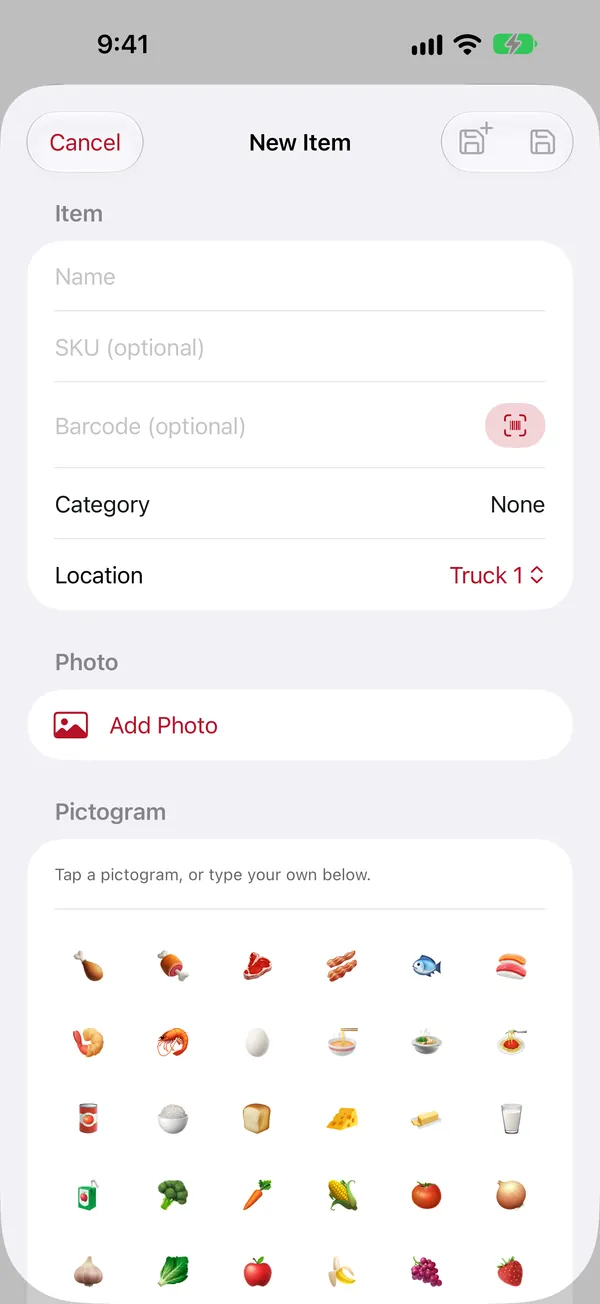
Only the name is required. Fill in as much or as little as is useful.
Adding an item
Admins only.
- Open the location where the item lives and tap + at the top right. The location is filled in for you. (You can also tap + on the All Items tab and pick the location yourself.)
- Type the Name.
- Set the Quantity and the Unit (ea, box, lb, pk, whatever you count in).
- Fill in anything else you want (below), then tap the save button at the top right.
What you can record
- SKU and Barcode: your own part number, and the barcode. Tap the scan button next to Barcode to read it with the camera. Both are searchable.
- Category: tap the row, then pick one or type a new name and tap Create "…". Categories are shared by the whole household.
- Photo: take a picture or choose one from your library. Without a photo, pick a pictogram (a small picture like 🔨 or 🥩) so the item is easy to spot in lists.
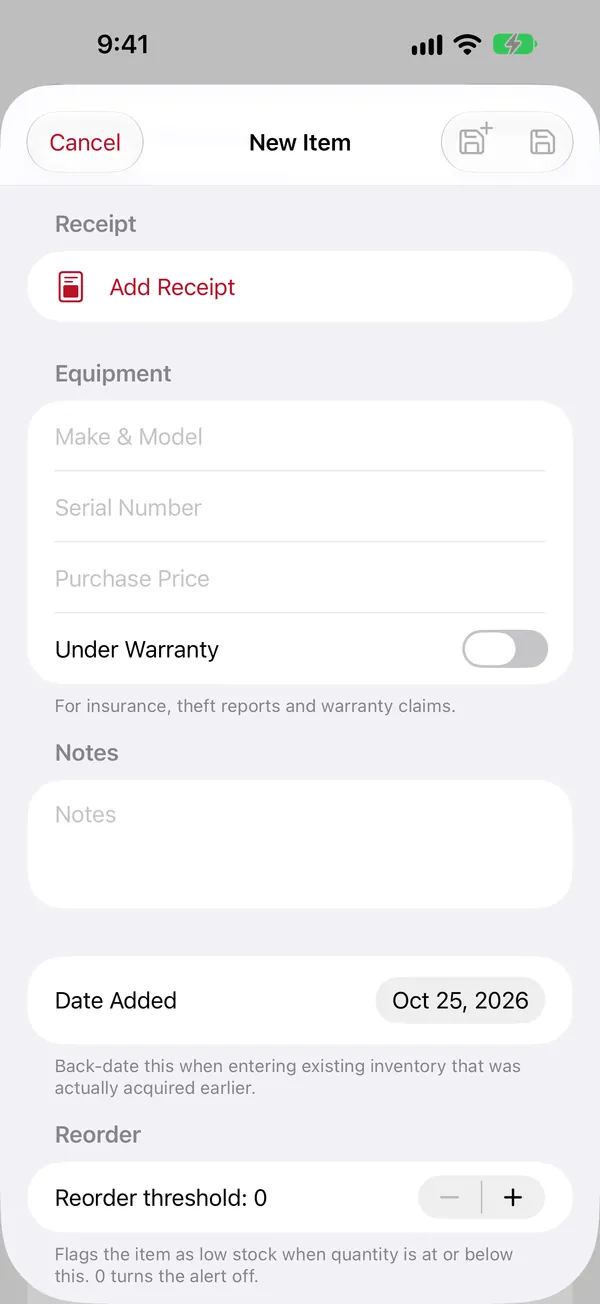
- Bought at and a Receipt: a photo of the receipt or a PDF.
- Expiration date (if your household uses it): turn on Has Expiration Date and pick the date. You'll see a countdown, and get a reminder before it expires.
- Equipment details (if your household uses them): make and model, serial number, purchase price, and warranty end date. Useful for insurance and warranty claims.
- Notes: anything else.
- Date Added: back-date it when you're entering things you've had for a while.
- Reorder threshold: when the quantity drops to this number or below, the item shows up under Low Stock and you get an alert. 0 turns that off.
Which optional fields appear is set per household by an admin, in Settings › Item Fields (more).
Entering a lot of items
Use Save and add another (the save button with a small +). It saves the item and clears the form for the next one, but keeps the location, category, unit, store and date added, so a shelf full of things goes quickly. The title shows how many you've added; tap Done when finished.
Editing an item
Open the item and tap Edit at the top right (admins). To change only the count, use Adjust Quantity instead; see Everyday use.
The item page
Tap any item to see everything about it. Swipe left or right to go to the next or previous item in the list you came from.
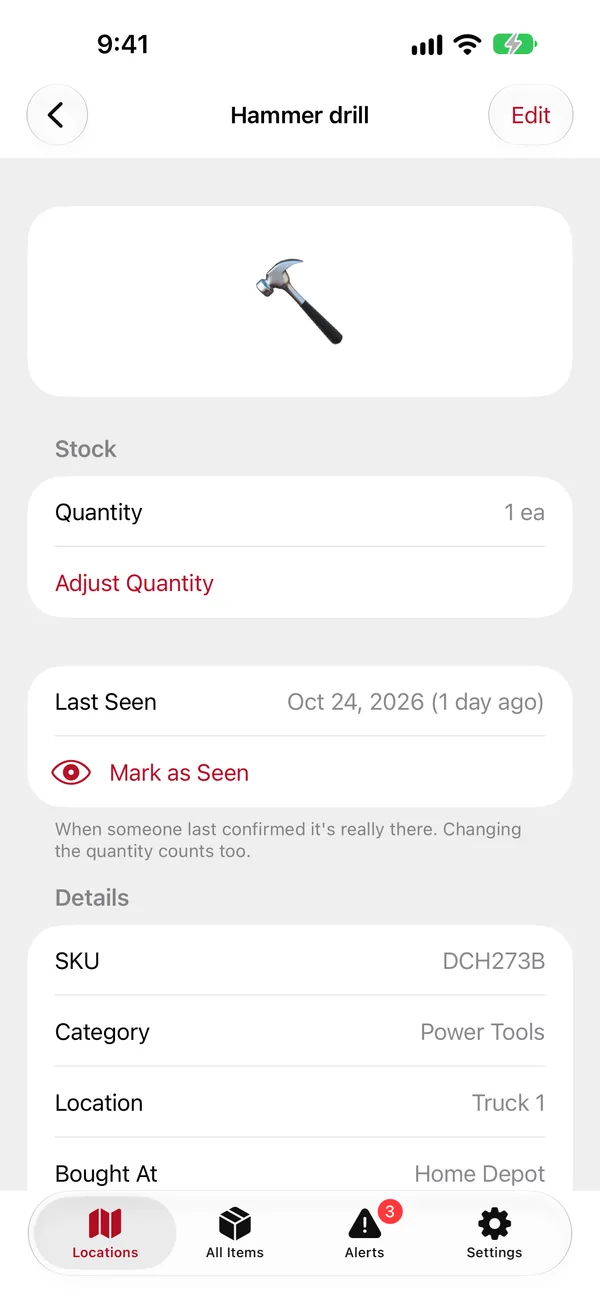
- Stock: the quantity, a warning when it's at or below the reorder threshold, and Adjust Quantity.
- Last Seen: when someone last confirmed it's really there, and Mark as Seen.
- Details: SKU, barcode, category, the full location, where it was bought, when it was added, its age, and the expiration countdown.
- Equipment: make and model, serial number, price, and how long the warranty has left.
- Receipt: tap to view it.
- At the bottom: Print / Share Label, Move to Another Location and the button that takes it out of the inventory (Archive…, for example).