
For iPhone, iPad and Apple Watch
Know what you have, and where it is.
Tools on the trucks, parts on the racks, food in the freezer. BIN Inventory keeps one shared list for your household or your crew: what's there, how many, where it lives, and when it runs out.

- Shared with your whole team
- QR labels you print yourself
- Low-stock and expiration alerts
- No ads, no tracking
For the shop and the crew
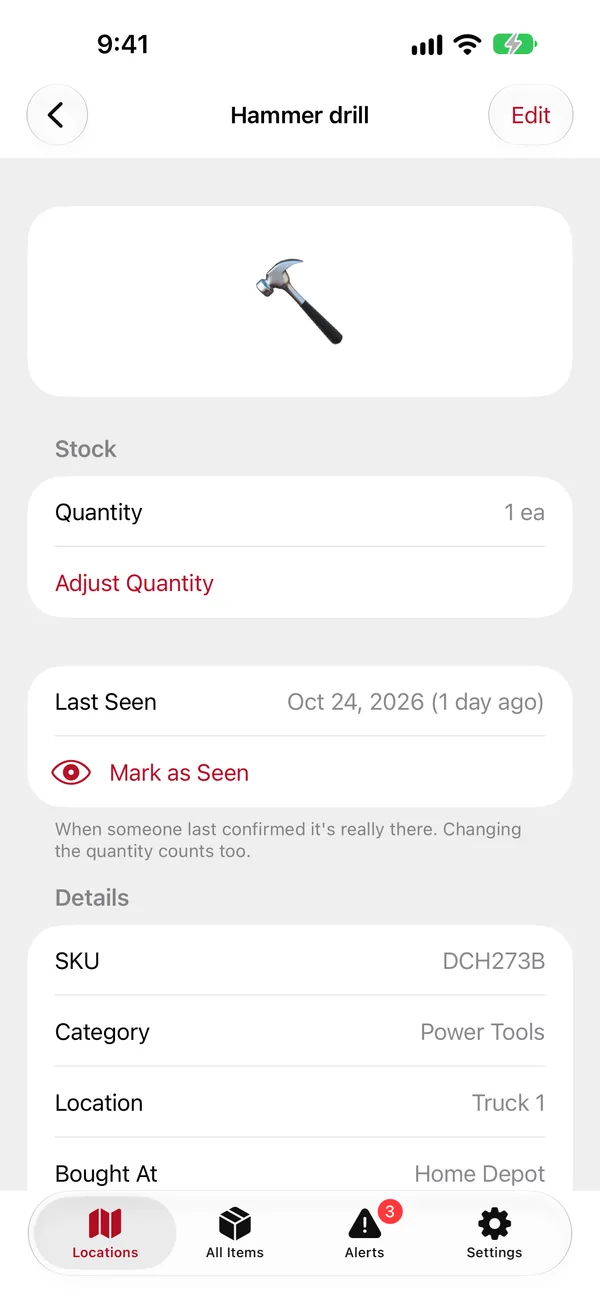
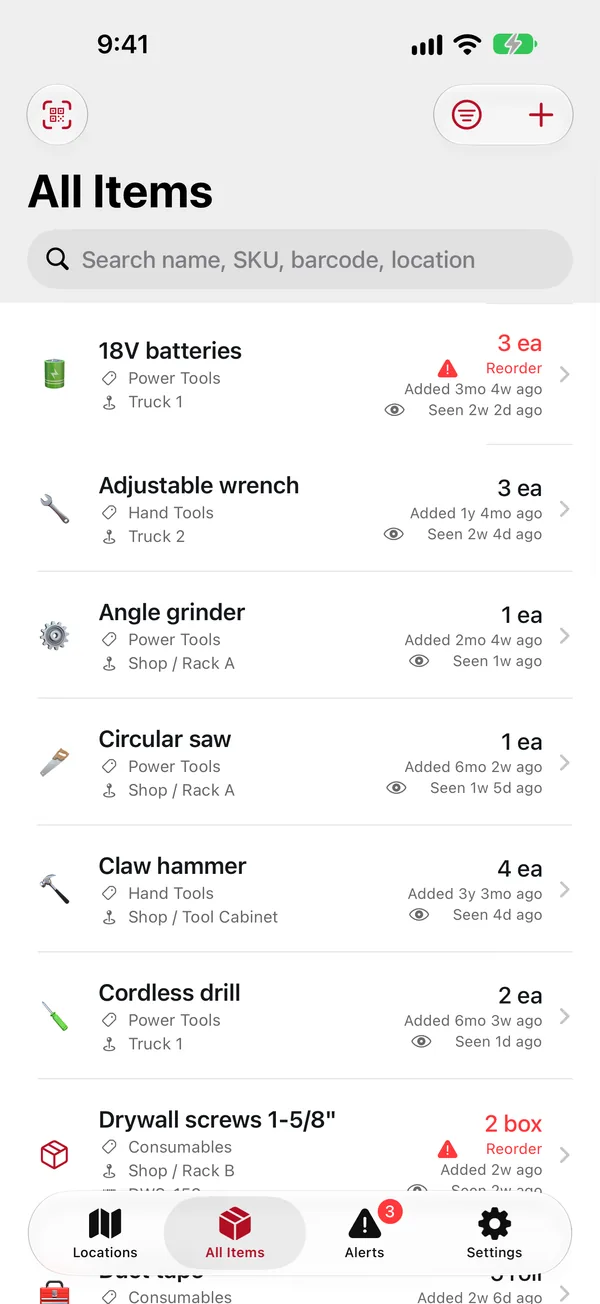
Every tool, on every truck.
Know which truck has the hammer drill before anyone drives across town for it.
- Locations inside locations: Shop › Rack A › Bin 3, Truck 1, the job site trailer.
- Make, model, serial number, price and warranty on each tool, with the receipt attached.
- Lost or stolen? Mark it with a date and print an insurance or theft report as a PDF.
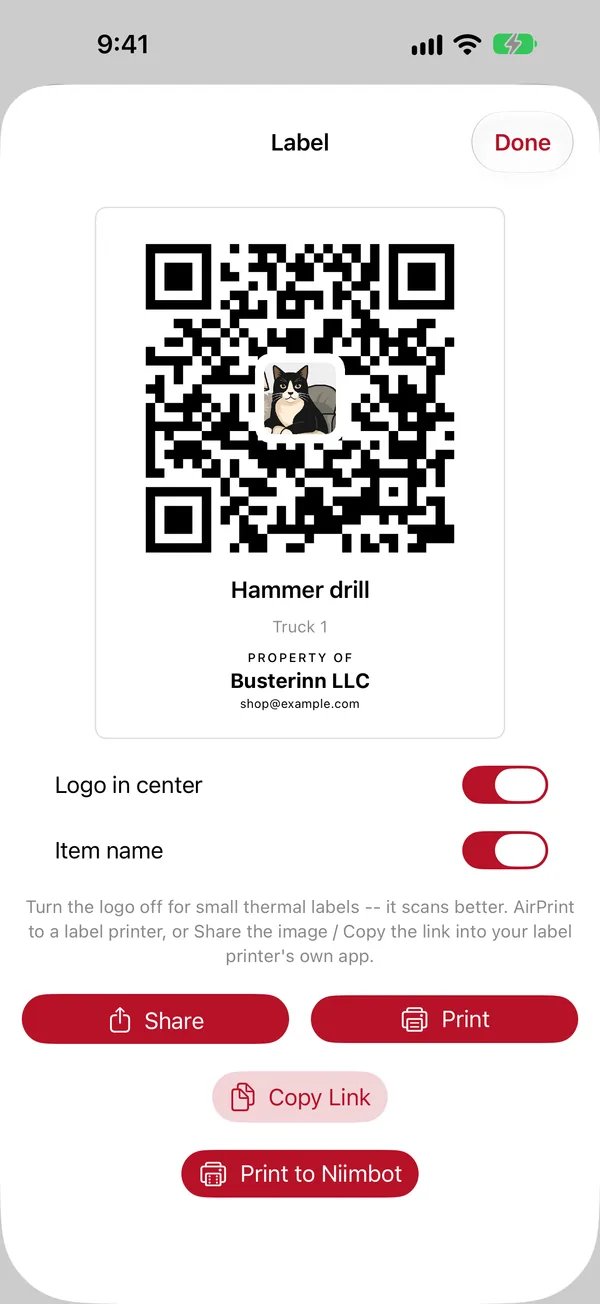
- "Property of" labels: anyone who scans a lost tool sees who it belongs to.
- Admins and viewers: the crew updates counts, while only admins add or remove items.
For the house
No more science experiments.
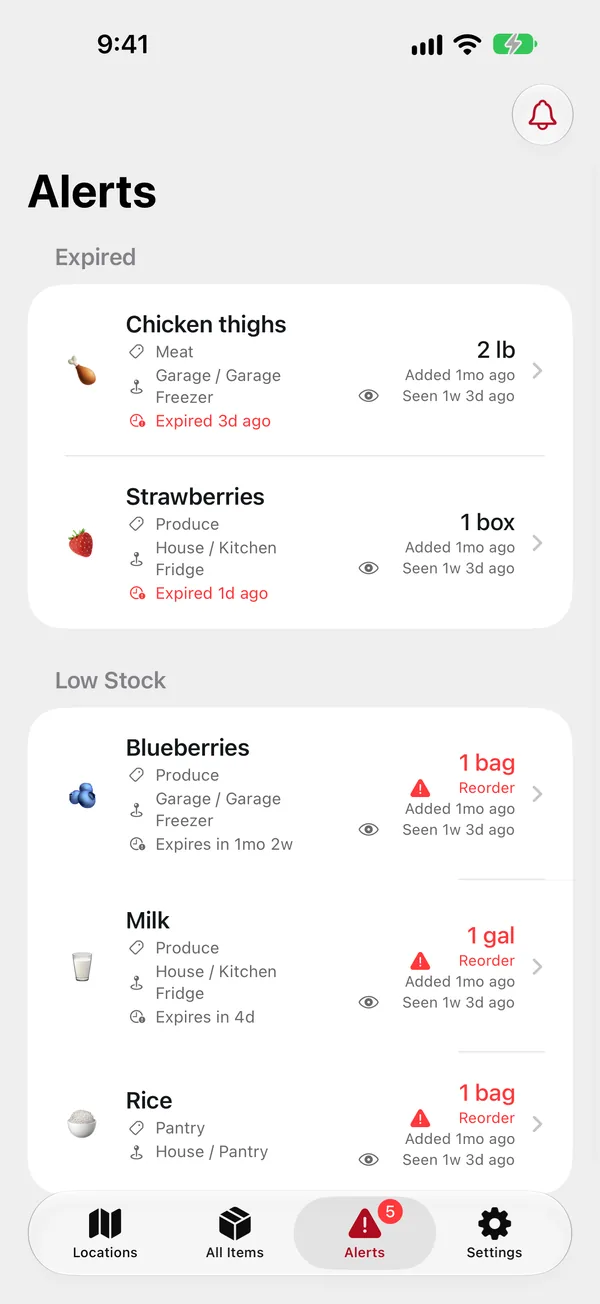
The chest freezer in the garage, the pantry, the fridge: see what's in them from the grocery store.
- Expiration dates with a countdown, and a daily reminder a few days before something goes bad.
- Low-stock alerts when the coffee drops below the number you choose.
- Who took the last one: every change in the counts is logged by name.
- Quick to fill: "Save and add another" keeps the location and category, so a grocery run takes a minute.
Everything in one place.
No spreadsheet, and nobody has to remember where things went.
QR labels
Print labels for items and shelves on a Niimbot B1 or D11 over Bluetooth, or with AirPrint. Scan one and the app opens right to it.
Photos and receipts
Add a photo of the item and attach its receipt as a picture or PDF. Locations can have a photo too.
Alerts
Low stock, out of stock and expiring soon, as notifications on your iPhone and Watch, with Restock right in the notification.
Last seen
Mark items as seen as you walk the racks, and the lists show when each one was last checked.
Shared households
One inventory for the family or the company. Belong to several, like home and work, and switch between them.
Export anytime
Download everything as a ZIP (spreadsheets, photos, receipts) or as a PDF report. Your data stays yours.
On the iPad. On your wrist.
The iPad shows the list and the item side by side. The Watch tells you where something is without your phone.
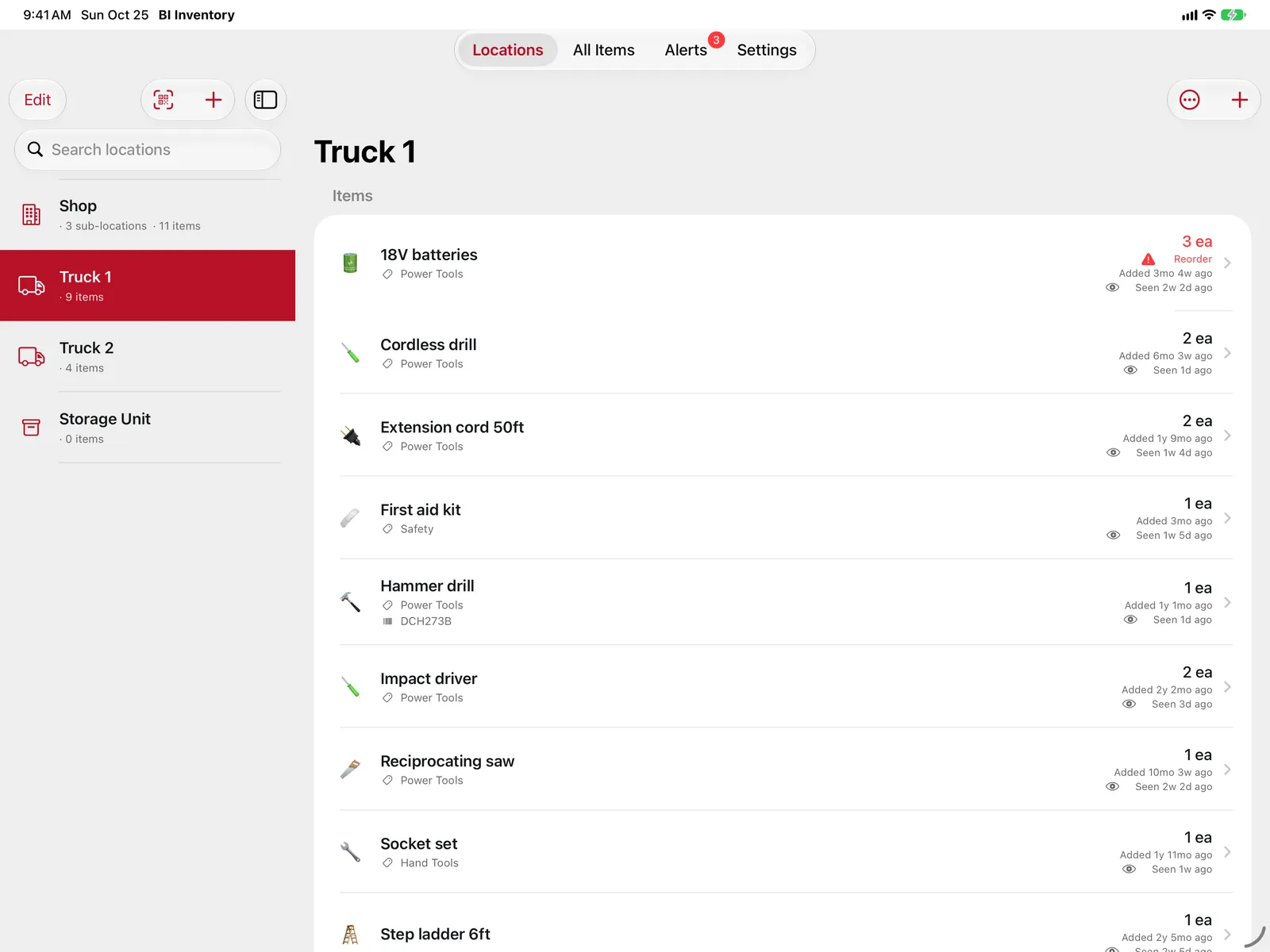
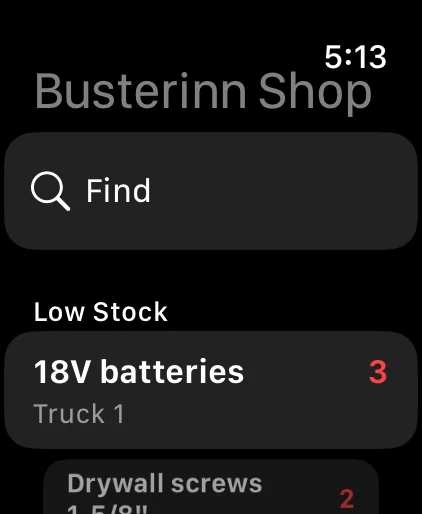
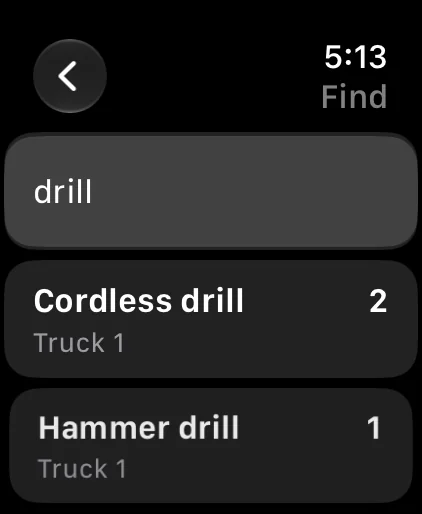
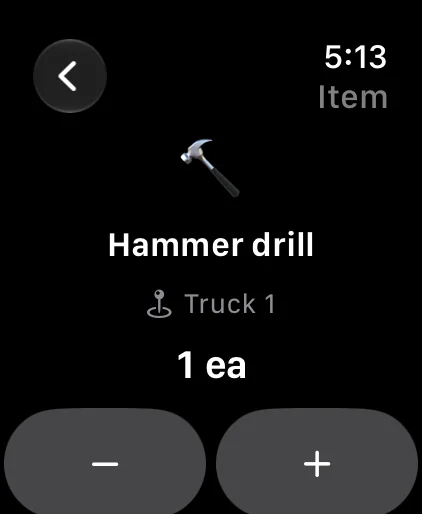
Find an item, see what's running low, and change a count with −1 or +1. The Watch signs in through your iPhone.
Your inventory, nobody else's.
No ads, no analytics and no tracking. The only people who see your items are the members of your household.
Invitation only
Nobody joins your household unless one of its admins adds them.
Face ID and passkeys
Lock the app with Face ID, and sign in to the web app with a passkey.
A full history
Who added, moved, used up or removed what, and when.
Delete anytime
Delete your account in the app. Privacy policy
Meet Buster
Buster is watching out for you.
Buster is a real cat, and the reason this app exists. He has what we politely call an "interesting" temper, and he does not like losing things. When the drill isn't where it was yesterday, or the last can of tuna vanishes and nobody writes it down, everyone hears about it.
So we built him an app. Now everything has a place, and Buster knows before anything runs out. He's still grumpy, just a lot less often.
Tap him. He's keeping an eye on you.
Getting started
Just trying it on your own? Install the app and tap "Use Without an Account": everything stays on your iPhone. For a shared inventory, accounts are by invitation. If your family or company already uses BIN Inventory, ask one of its admins to add you. To set it up for your own household or business, write to us and we'll get you going.