Lost, stolen and used up
Items are never really deleted: they're taken out of the inventory with a reason and a date.
Taking an item out of the inventory
Admins only.
- Open the item and tap the red button near the bottom: Archive…, or whatever your household's main reason is (Consume…, for example).
- Choose the Reason: Archived, Lost, Stolen, Consumed or Trashed, depending on which your household uses.
- Set the Date it happened and, if you like, a Note. For a stolen item, that's a good place for the police report number.
- Tap the confirm button (Archive, Mark Lost, Mark Stolen…).
Shortcut: in a list, swipe an item to the left to archive it with the main reason, dated today.
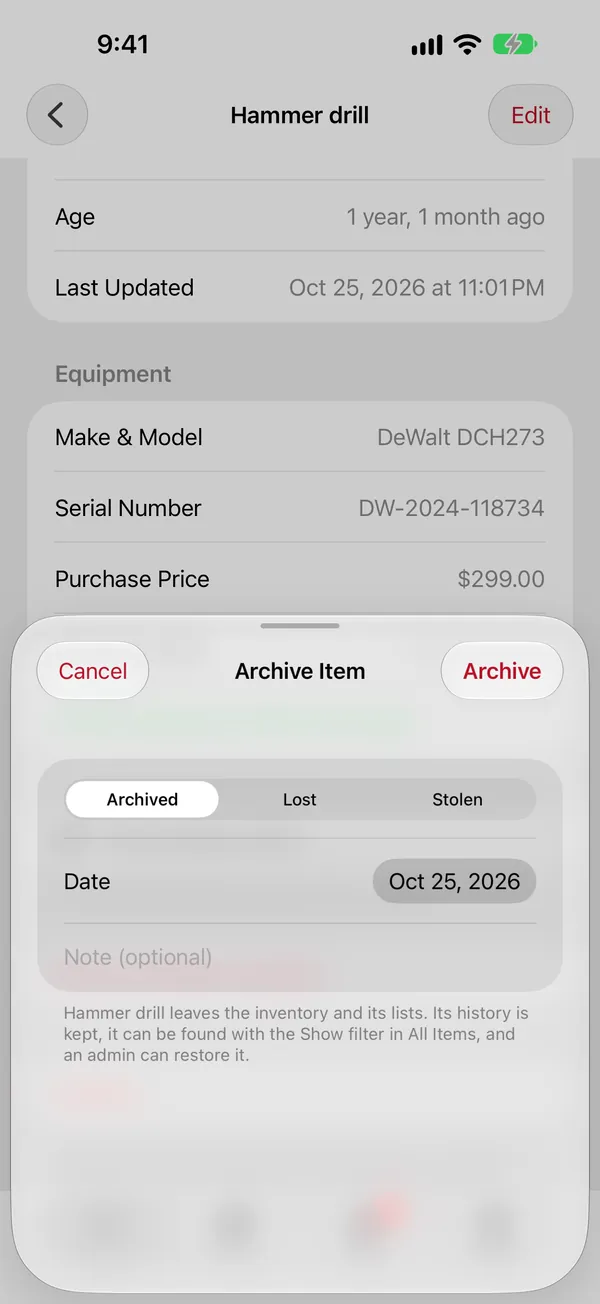
An archived item is left out of lists, counts and alerts, but keeps its history, photos and receipt. That's what makes the insurance / theft report possible.
Finding archived items
On All Items, open the filter menu and pick under Show: Archived (All), one reason such as Stolen, or Everything. Archived items show a badge with their reason.
Bringing one back
Found it after all? Open the item and tap Restore to Inventory (admins).
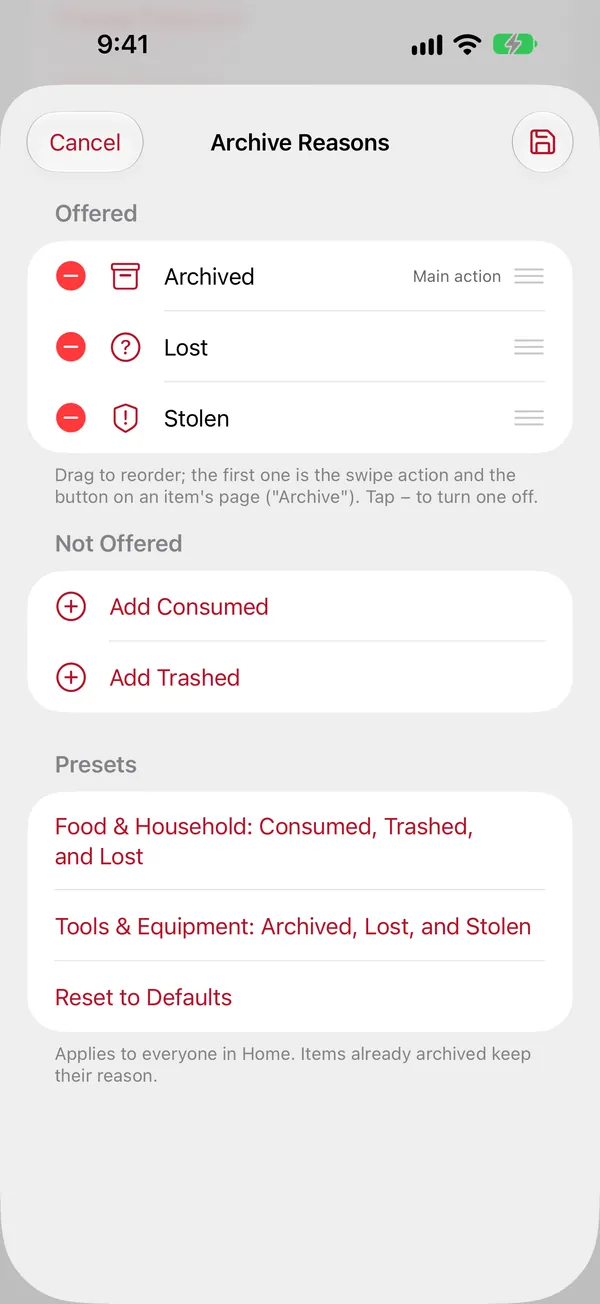
Which reasons are offered
An admin chooses them in Settings › Archive Reasons. Drag to reorder; the first one is the main action (the button on the item page and the swipe in lists). There are two presets:
- Food & Household: Consumed, Trashed and Lost.
- Tools & Equipment: Archived, Lost and Stolen (the default).