
Finding things
Search, sort and filter, or scan a label.
Search
On the All Items tab, type in Search name, SKU, barcode, location. It searches the whole household, including serial numbers when your household records equipment details. Each result shows where the item is.
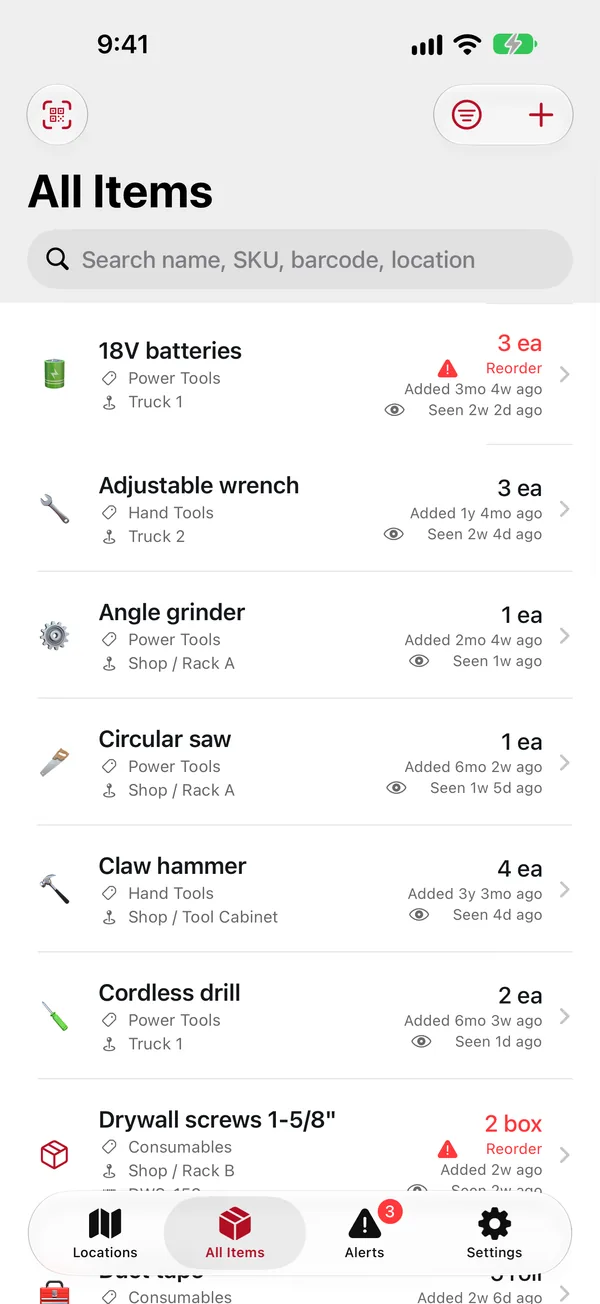
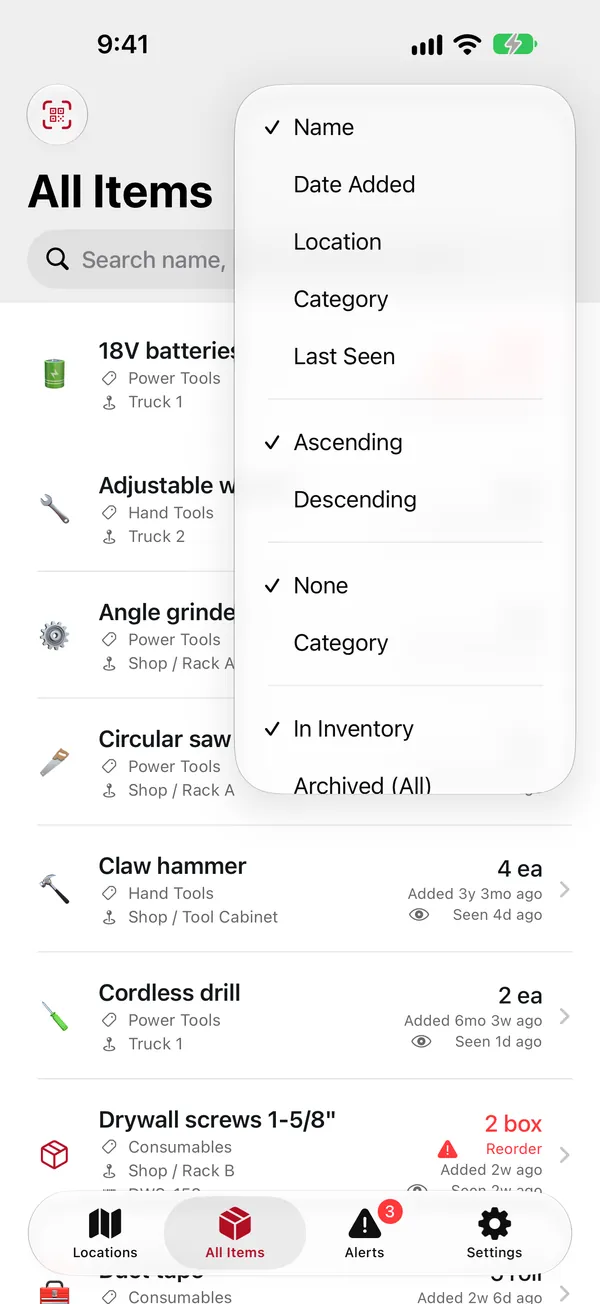
Sort and filter
Tap the filter button at the top of All Items:
- Sort By: name, date added, location, category, expiration or last seen, ascending or descending.
- Group By: none, or by category.
- Show: what's in the inventory (the usual), or items that were taken out: all archived ones, only lost, only stolen, and so on, or everything. See Lost, stolen and used up.
The app remembers your sorting; Show goes back to "In Inventory" each time you open it.
Scanning a label
If you've printed QR labels, scanning one is the fastest way to an item or a shelf:
- In the app, tap the QR scan button (top right on Locations, top left on All Items) and point it at the label. The item or location opens.
- Or just use the iPhone's Camera app: point it at the label and tap the link that appears. BIN Inventory opens right to it.
Someone without the app who scans a label sees a web page instead. If your household prints ownership on its labels, the page says who the item belongs to and how to contact you, but never what the item is or anything else about it.
From your wrist
On the Apple Watch, tap Find and say the item's name. See Apple Watch.